Below, Rusted Gods Terminals & Radio
How to interpret instruments when the squad only has your voice.
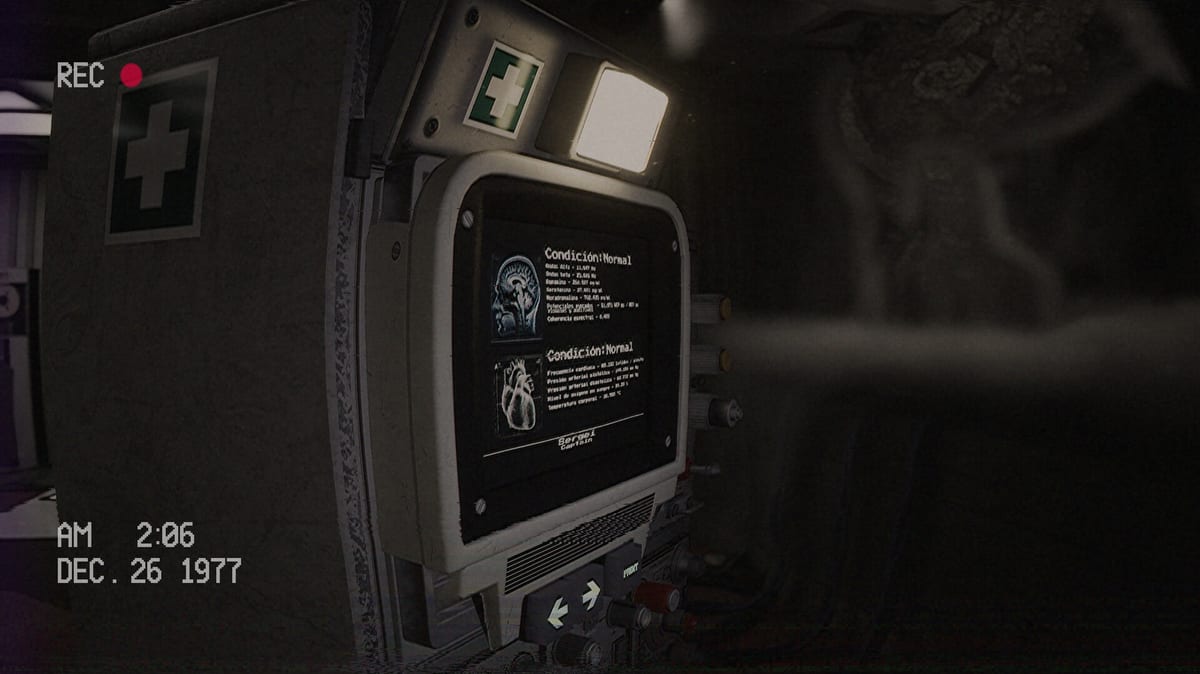
The heart of Below, Rusted Gods is not a gun—it is a bank of imperfect machines. As Operator you translate instrument noise into decisions that keep an underground expedition breathing. This guide unpacks the terminal fantasy: what each class of tool is for, how to cycle them under stress, and how they connect to exploration and lore.
The three primary instrument classes
Status monitoring
Think of the status console as your medical and readiness feed. When transmissions turn frantic, your first question is whether the squad is injured, separated, or simply scared. Habit: after every major radio exchange, glance at status before you invent a new plan. Details of desk placement live on Operator Station.
Radar
Radar answers “is something near them that they cannot see clearly?” Demo players describe it as the tool that turns uneasy silence into actionable dread. Use it when movement audio spikes, when the squad whispers about shapes, or when you feel tempted to guess. Pair radar with the mid-article overview video, then practice a deliberate scan cadence rather than panic clicking.
Radio and frequency work
The radio is your verb list: listen, scan, respond, and sometimes chase static across bands. Communication grows sporadic as the descent continues—Steam’s own pitch warns of anomalies and unknown abyss behaviour. Treat incomplete audio as a puzzle piece, not a bug. If you miss a line, do not immediately leave the room; replay the last cycle and check How to Progress When Stuck.
Secondary machines and media
VCR chains, TVs, and cassette decks extend the Administration’s story into tangible objects. Playing tapes is not optional flavour for completionists—it is how the facility explains why you are alone with ancient tech. Move to Cassettes & Lore for tape habits, then return here when you need instrument priority again.
A reliable Operator loop
- Hear the squad.
- Confirm status.
- Sweep radar.
- Adjust radio / frequency as prompted.
- Only then walk the facility if the narrative stalls.
- Log new tapes before the next crisis.
Printable structure lives on the Operator Checklist. Controls for interacting with panels are on Controls.
Full game expectations
FromSouthGames has stated they are expanding terminal and machine functionality for the full release so players gain more agency. Expect this page to grow after July 29, 2026—watch Patch Notes when systems change. Until then, master the demo loop via the Demo Walkthrough and keep Getting Started as your human-factors primer.
Common terminal mistakes
- Staring at one screen while a radio instruction finishes on another.
- Ignoring radar because “nothing happened last time.”
- Leaving the desk before instruments are idle.
- Skipping tapes to “save time,” then lacking context for later scares.
Operators who treat the console like a trusted partner—check, confirm, communicate—survive the preview with fewer soft-locks. Those who treat it like wallpaper get the bathroom wrong and blame the game.
Stay on frequency. The abyss is listening too.
Frequency discipline under stress
When the squad yells, do not mash every dial. Finish the sentence, then change one variable: status, then radar, then radio. Single-variable changes teach causality. The Operator Checklist encodes that habit. Bindings live on Controls; geography on Operator Station.
Interpreting silence
Silence may mean distance, interference, injury, or a story gate telling you to stand. Do not fill it with random exploration if instruments still flash. Do not fill it with more clicking if the last line said look elsewhere. Triage with How to Progress When Stuck and phases from the Demo Walkthrough.
Linking terminals to lore machines
Operational tools keep people alive; media tools explain the Administration. Alternate them to avoid tunnel vision. After a heavy radio segment, play one cassette (Cassettes & Lore) before the next descent beat. Mindset refresh: Getting Started.
Preparing for expanded full-game machines
Expect deeper interactions after July 29, 2026. Re-read this page beside Patch Notes and Launch News. Store prep links on Release & Demo. Keep spoiler charts on Endings closed until you finish. Hardware sanity: System Requirements. Tone check: Review. Hub navigation: Guides Hub and Systems Hub.
The machines are imperfect on purpose. Your patience is the patch.
Frequently Asked Questions
Quick answers for operators on active Steam shifts.
Which terminal should I check first in a panic?
Hear the radio beat, then status, then radar—unless the game explicitly highlights another panel.
Do terminals change in the full game?
Developers plan deeper machine interaction and branching. Re-check this guide after launch patches.
Are tapes part of the terminal fantasy?
Yes. Media machines sit beside operational tools; see [Cassettes & Lore](/systems/cassettes-and-lore/).
Where can I see the systems visually?
Watch the embedded overview video, then study screenshots and layout notes on [Operator Station](/systems/operator-station/).