Below, Rusted Gods Supported Languages
Steam localization matrix, audio reality, and how this wiki differs from in-game text.
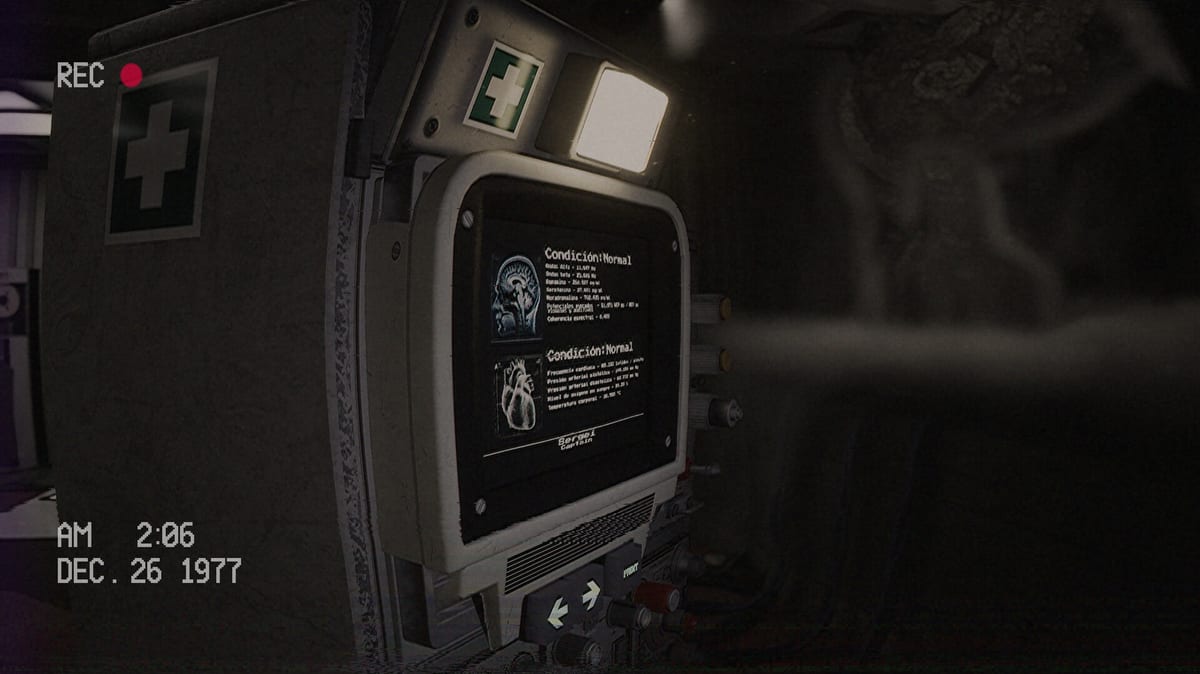
Below, Rusted Gods ships with a broad Steam localization footprint for a two-person Argentine studio. FromSouthGames confirmed ongoing localization work in March 2025 Steam news alongside branching narrative and achievement updates. On the eve of the July 29, 2026 Windows launch, language settings matter as much as headphones: the Operator fantasy depends on reading instruments and hearing squad voices clearly. This page maps Steam store languages, full audio availability, restart tips when subtitles fail to apply, and how this fan wiki relates to in-game text.
Steam language matrix (interface and subtitles)
The Steam store lists the following interface and subtitle languages for app 2895680:
| Language | Steam listing |
|---|---|
| English | Yes |
| Spanish — Spain | Yes |
| French | Yes |
| German | Yes |
| Simplified Chinese | Yes |
| Spanish — Latin America | Yes |
| Japanese | Yes |
| Portuguese — Brazil | Yes |
| Russian | Yes |
That is nine written-language options beyond the default English presentation. Interface text covers menus, prompts, and on-screen labels; subtitles typically cover squad dialogue and key transmissions when localized. Always re-check the live store page after launch patches—localization tables can expand.
Full audio: English only
Steam lists full audio for English alone. Squad performances, radio exchanges, and cassette performances you hear in English are not fully re-voiced in the other eight languages at store listing time. Non-English players should expect subtitled English audio rather than dubbed tracks. That design choice reinforces the Operator sim tone: you are listening through imperfect channels, and clarity still depends on headphones. Read Headphones & Audio before blaming “bad translation” for missed verbs.
Patch 1.23.1 localization fixes (Jul 30, 2026)
The first retail hotfix, Patch 1.23.1, addressed two text bugs that mattered mid-scene:
- Japanese: fixed an incorrect member code string in the JP localization.
- French: fixed incorrect characters in Maria’s song during a story beat.
If you play in JP or FR and saw wrong codes or garbled song text before updating, install the patch, fully restart the client so language packs reload, and replay the affected beat. Full changelog: Patch Notes. Squad context for Dimitri/Maria flags: Squad Members.
Changing language and the restart tip
Steam language selection applies at install or through Properties → Language on the game. Many Unreal and narrative titles require a full restart after switching interface language before new subtitles and menu text propagate. If menus look correct but in-game prompts stay in the old language:
- Exit to desktop completely—not just the pause menu.
- Confirm the Steam client shows the intended language for the app.
- Relaunch and load your save from the title screen if offered.
- Verify dialogue subtitles on the first radio beat before long sessions.
Demo builds (app 3243360) follow the same Steam language plumbing; test your locale in the demo via Release & Demo before buying retail.
Wiki locales versus Steam languages
This unofficial wiki deep-localizes English, French, German, and Spanish site UI and content—four locales chosen for European and Latin American reach without attempting to mirror all nine Steam languages. We do not ship Simplified Chinese, Japanese, Portuguese-Brazil, or Russian wiki pages at launch.
| Layer | Coverage |
|---|---|
| In-game (Steam) | Nine interface/subtitle languages; English full audio |
| This wiki | EN, FR, DE, ES articles and navigation |
Wiki pages are guides, not substitutes for in-game localization. If you play in Japanese on Steam, use this site’s English (or FR/DE/ES) pages for mechanics while trusting the game client for story text.
Localization and launch context
March 2025 Steam news tied localization progress to the delayed retail window and expanded scope—achievements, collectibles, branching, and additional facility space. July 2026 campaign posts focused on 50,000 wishlists, Steam Deck Verified status, and the confirmed July 29, 2026 date. None of that replaces checking your language pack on day one; run the Day-One Checklist and confirm subtitles during Getting Started onboarding.
Practical Operator advice by language
- English audio + non-English UI: Keep dialogue volume high; read subtitles during static bursts.
- Spanish (Spain) vs Spanish (Latin America): Pick the variant matching your reading habit; both appear on Steam.
- French / German wiki readers: Site UI matches your locale; in-game may differ slightly in terminology.
- Players using CN/JP/PT/RU in-game only: Lean on universal mechanics pages conceptually—Terminals & Radio, Controls, Operator Checklist.
Related pages
- Release & Demo — store apps, official site belowrustedgods.com, mature content notes
- System Requirements — storage and SSD guidance (12 GB listed)
- Steam Deck Verified — portable UI legibility at default scale
- Launch News — T-1 countdown and launch-eve habits
- Steam News — localization mentions in dev transmissions
The Administration speaks many languages on paper. Your ears still answer to English radio until patches say otherwise.
Mature content and language together
Steam carries a mature content descriptor; demo coverage mentions unsettling creatures and psychological horror. Localization does not soften horror beats—if a scene disturbs in English, expect equivalent intent in subtitles. Adjust comfort settings via Steam family tools if needed; wiki walkthroughs stay spoiler-aware on Endings and practical elsewhere.
Post-launch verification
After unlock, note any missing subtitle lines in your language and report through official channels linked from Discord & Community and Steam discussions—not rumor threads. Track fixes on Patch Notes and Patch 1.23.1.
Patch 1.23.1 (July 30, 2026) corrected two locale-specific text issues named in official Steam news:
- Japanese — incorrect member code string in squad-facing UI
- French — incorrect characters in Maria’s song in the subtitle/text layer
These are text repairs, not full re-voicing—English remains the only full-audio language on Steam. Named-member context: Squad Members. Achievement and collectible text may also localize; see Achievements & Collectibles for exploration rewards that do not depend on language.
Cross-hub navigation
Overview shopping: Review. Skill building: Guides, Systems. Session tools: Tools. News: Updates. Instrument literacy: Radar & Status complements Terminals & Radio without duplicating frequency work.
Choose your language before the channel opens. Restart if the facility disagrees.
Frequently Asked Questions
Quick answers for operators on active Steam shifts.
How many languages does Below, Rusted Gods support on Steam?
Nine interface/subtitle languages are listed on Steam, with English as the only full-audio language at store listing time.
Why are my subtitles still in the old language?
Fully quit the game and Steam-verify the app language, then relaunch. Many titles need a restart before UI text refreshes.
Does this wiki match all Steam languages?
No. The wiki localizes EN, FR, DE, and ES. In-game supports additional languages listed on this page.
Is voice acting dubbed in French or German?
Steam lists full audio for English only. Other languages use subtitles over English performances.
Did patch 1.23.1 fix any language issues?
Yes—Japanese member code text and French Maria song characters per official Steam news. See [Patch 1.23.1](/updates/patch-1-23-1/).
Where do I test language settings safely?
Use the free demo (app 3243360) via [Release & Demo](/overview/release-and-demo/) before committing to retail.