Below, Rusted Gods Systems & Station Manuals
Controls, consoles, and cassette workflows for the Operator desk.
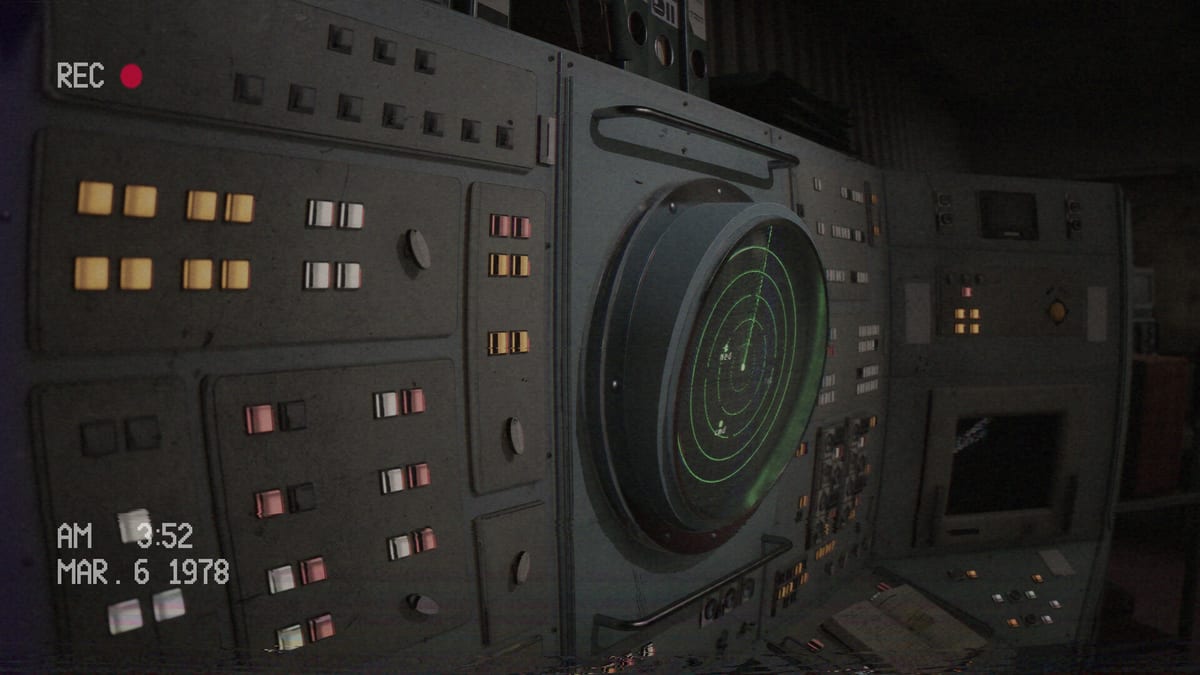
The Systems Hub collects mechanical literacy for Below, Rusted Gods: how you move and interact, how the Operator station is arranged, and how cassette media feeds the horror. Use it beside the Guides Hub whenever a tutorial assumes you already know which panel is which.
Pages in this hub
- Controls — keyboard, mouse, and controller expectations with full-support notes from Steam.
- Operator Station — spatial layout of monitors, radio, radar, and side gear.
- Cassettes & Lore — why tapes matter and how to process facility media without rushing.
- Facility Exploration — when to leave the desk, bathroom/peephole beats, and anomaly checks.
- Achievements & Collectibles — exploration rewards, May 2025 Steam news, spoiler-light hunting habits.
- Collectibles Checklist — eight figurines, four cassettes, three VHS tapes, named Steam trophies.
- Life Support & Squad — vitals, medical console, four-member management, playtest layout notes.
- Anomalies & Events — facility-side versus abyss feed, telegraphed scares, instrument disagreements.
- Graphics & Settings — May 2025 QoL themes, blur/text/sway requests—verify in retail.
- Squad Members — four-member expedition, Dimitri/Maria patch context, death flags after 1.23.1.
How systems connect to play
Guides teach decisions; systems teach affordances. If Terminals & Radio feels abstract, return here for physical orientation. If you soft-lock, combine Soft Locks Troubleshooting and How to Progress with a fresh look at station layout. Patch 1.24.0 refined the statue event and radar; 1.23.2 enlarged cassette colliders—see Squad Members and Patch Notes. Keep the Operator Checklist synced with these manuals during long sessions.
Post-launch note
Bindings and machine depth may still expand after hotfixes. Revisit this hub when Patch Notes mention control, terminal, VHS, or status-flag changes. For platform facts, see System Requirements and Release & Demo.
Master the desk before you trust the abyss.
How Systems differs from Guides
Guides answer “what do I do in this moment?” Systems answer “what can this machine do at all?” Keep both hubs open during a difficult shift: Guides Hub for scenarios, this hub for literacy. When a walkthrough says “sweep radar,” Operator Station tells you where to look, Terminals & Radio tells you why, and Controls tells you which button confirms.
Building desk fluency
Fluency is naming devices without screenshots. Drill a five-minute loop: status, radar, radio, cassette, short facility walk, return. Encode it on the Operator Checklist. If the loop breaks on a prompt, fix bindings before blaming story gates (How to Progress).
Media as a system
Cassettes are systems, not cutscenes. Cassettes & Lore explains processing order so you do not hoard tapes until a crisis. Pair archive work with Getting Started mindset notes.
Post-launch maintenance
Bindings and machines may shift with future patches. Revisit this hub with Patch Notes, Patch 1.23.1, and Launch News. Confirm dates on Release & Demo, specs on System Requirements, tone on Review (Very Positive ~89% from 309 reviews as of late August 2026), and spoiler policy on Endings. Practical clearing help: Soft Locks Troubleshooting, Demo Walkthrough.
Master the desk before you trust the abyss.
Weekly maintenance for Operators
Once a week after each major patch—or during launch month—re-read Controls, glance at Operator Station, and skim Cassettes & Lore for any workflow tweaks you invented. Sync those tweaks into the Operator Checklist. Pair with guide refreshers: Getting Started, Terminals & Radio, How to Progress, Soft Locks Troubleshooting, Demo Walkthrough. Overview facts: Release & Demo, System Requirements, Review. Updates: Launch News, Patch Notes, Patch 1.23.1.
Frequently Asked Questions
Quick answers for operators on active Steam shifts.
Is Systems the same as Guides?
No. Guides teach scenarios and walkthroughs; Systems documents controls, layout, and media tools.
Where should beginners go first?
Read [Controls](/systems/controls/), then [Operator Station](/systems/operator-station/), then return to [Getting Started](/guides/getting-started/).
Do cassettes affect progression?
They primarily deepen story and atmosphere; skipping them can still leave you lost. Details on [Cassettes & Lore](/systems/cassettes-and-lore/).