Below, Rusted Gods Operator Station
Learn the desk geography before the squad’s signal breaks up.
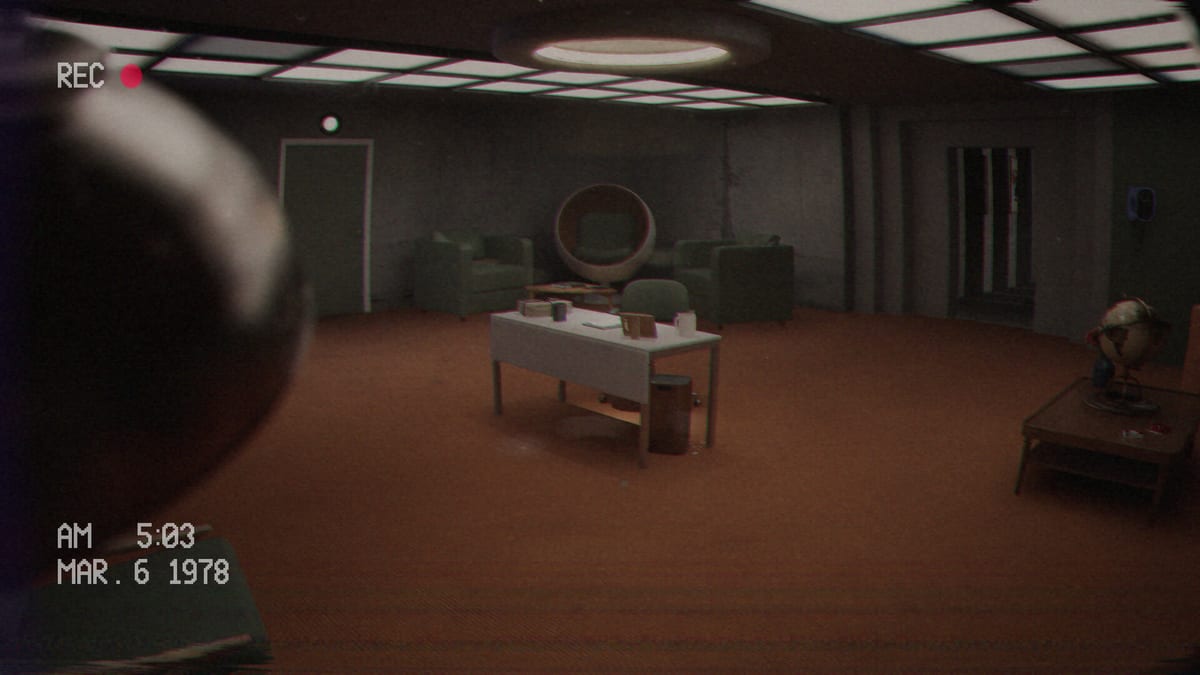
Your character in Below, Rusted Gods lives at a desk that feels like a character of its own: cathode glow, aging switches, and just enough space to walk away when the facility insists. This page is a spatial primer so guides can say “check radar” without you spinning in circles.
Core zones
Primary monitoring bank
Expect clustered screens for status-style readouts and descent telemetry. This is your “are they alive?” wall. Habitually return here after every major radio exchange. Visual reference screenshots on this wiki use the Operator station and control-room captures from Steam assets.
Detection and warning tools
Radar-class instruments belong in easy reach. When the squad’s voices thin out, this zone answers whether something else shares their dark. Workflow details sit in Terminals & Radio.
Communications
The radio console is the narrative throttle. Scanning frequencies, catching partial sentences, and answering under pressure all happen here. If static rises, stay planted until the cycle finishes—then consider walking.
Media corner
Cassette decks, transcript readers, and TV/VCR chains often sit slightly off the main monitoring cone. That placement is intentional: you must choose to look. Cassettes & Lore covers why that choice matters.
Life support and medical console zone
Adjacent to the primary monitoring bank—and sometimes requiring a short walk from the chair—you will find life support readouts and a medical console that answer whether the squad remains operational under stress. Demo and playtest culture treat this zone as progression-critical: onboarding pairs “check on the squad” language with vitals work before authorizing facility walks.
Playtest feedback noted layout friction when medical printouts required circling the desk to read clearly. Retail may adjust spacing; verify your build after July 29, 2026 unlock. Deep vitals workflow lives on Life Support & Squad—this section is spatial only. Do not duplicate frequency tutorials from Terminals & Radio; instead, know where to glance after every radio beat.
Habit: life support → status → medical acknowledgment → radar sweep → respond on radio. Encode it on the Operator Checklist.
Beyond the chair
The station is embedded in a larger facility. Bathrooms, corridors, and peephole props are not sightseeing—they are progression grammar. When onboarding mentions checking something after vitals, stand up. How to Progress lists the common miss patterns.
Mental map drill
- Sit and name each device aloud once.
- Perform one interaction on each: status, radar, radio, tape.
- Walk a loop of adjacent rooms and return.
- Repeat after any scare resets your nerves.
Use Controls if interactions fail, and the Operator Checklist to keep the drill short between sessions.
Full-game caveat
Developers plan to expand terminal functionality and explorable areas. Desk geography may gain new machines after launch—revisit alongside Patch Notes and Launch News. For tone and expectations, skim the Review.
Know your station. The squad only hears you if you know which switch is which.
Sight lines and attention budget
Everything on the desk competes for your eyes. Decide a default resting gaze—usually status or radio—and consciously break it for radar sweeps. That attention budget is why the Operator Checklist exists. Mechanical meaning of each sweep is in Terminals & Radio; button mapping is in Controls.
Facility adjacency
Learn which doors are one turn from the chair. Bathroom and corridor beats feel farther than they are when you are scared. Practice a timed loop after onboarding using Getting Started habits and How to Progress recovery steps. Media corner discipline: Cassettes & Lore.
Using screenshots on this wiki
Steam captures on this site show station mood, not annotated blueprints. Compare them to your build and note differences after patches (Patch Notes). Launch timing: Launch News, Release & Demo. Specs: System Requirements. Clear the preview with Demo Walkthrough. Tone: Review. Spoilers: Endings. Parent hubs: Systems, Guides, Tools, Overview.
Know your station. The squad only hears you if you know which switch is which.
Labeling your own screenshot
Take one screenshot of your desk, print it, and pencil labels: status, radar, radio, tapes, exit path. This analog trick beats fancy overlays when fear spikes. Update the paper if Patch Notes add machines. Tie each label to a checklist tick (Operator Checklist). Deep mechanics: Terminals & Radio. Inputs: Controls. Tapes: Cassettes & Lore. Recovery: How to Progress. Onboarding: Getting Started. Demo: Demo Walkthrough. Shopping: Release & Demo, System Requirements, Review. News: Launch News. Spoilers: Endings. Hubs: Systems, Guides, Tools, Overview, Updates.
Closing drill
Before quitting, stand, turn a full circle, and name every interactable you can still see. That thirty-second drill prevents “I never noticed that door” stories the next day. Sync the drill to the Operator Checklist facility loop.
Frequently Asked Questions
Quick answers for operators on active Steam shifts.
Is the Operator station the whole game?
No. Desk work is central, but facility exploration and media are required for progression and story.
Where do I learn what each machine does?
Start here for layout, then deep-dive mechanics in [Terminals & Radio](/guides/terminals-and-radio/).
Why leave the desk at all?
Story beats—including bathroom and peephole moments—gate progress when audio tells you to look elsewhere.
Any checklist for desk setup?
Yes—the [Operator Checklist](/tools/operator-checklist/) mirrors this layout.